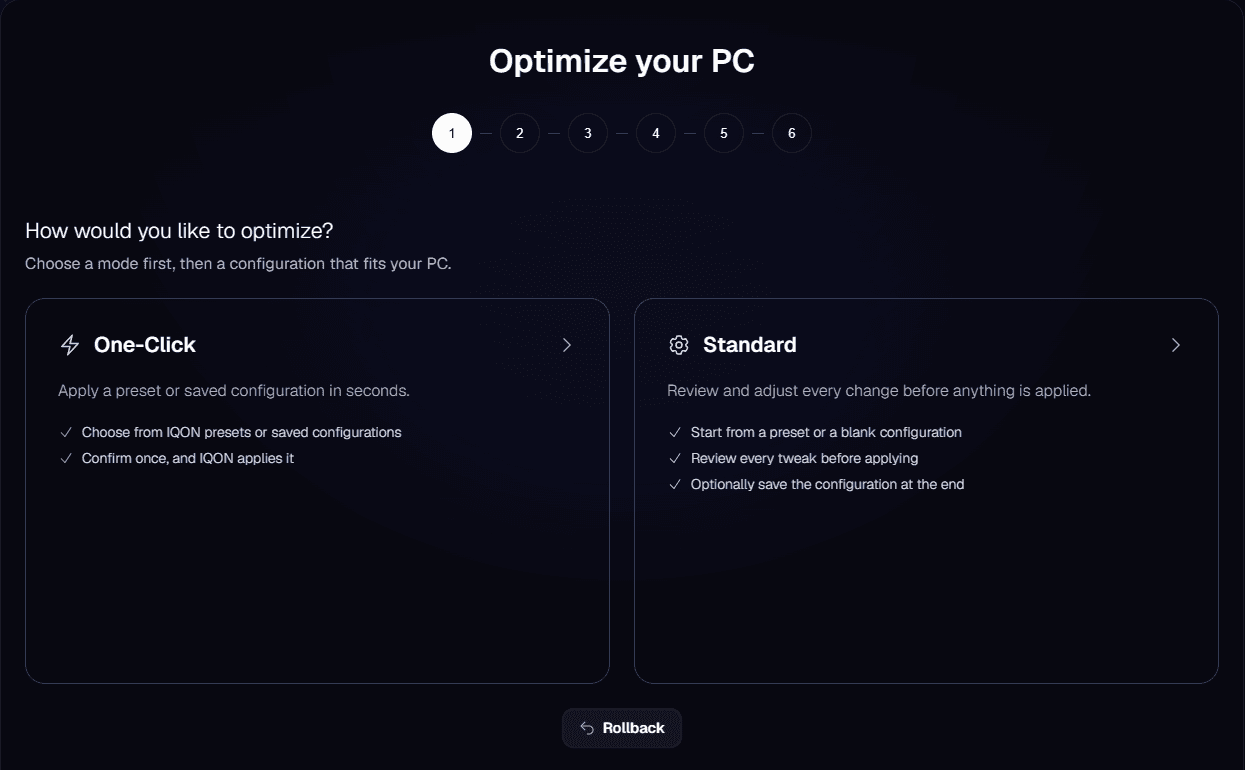
Choose a mode
Both modes offer the same IQON presets. "IQON Essentials Only" makes the fewest changes, "IQON Recommended" is a balanced starting point, "Max Performance" uses more aggressive settings, and "Streamer Mode" is set up for streaming PCs. In Standard mode, you can also choose "Custom" to start with every option unset. The rest of this guide follows Standard mode.
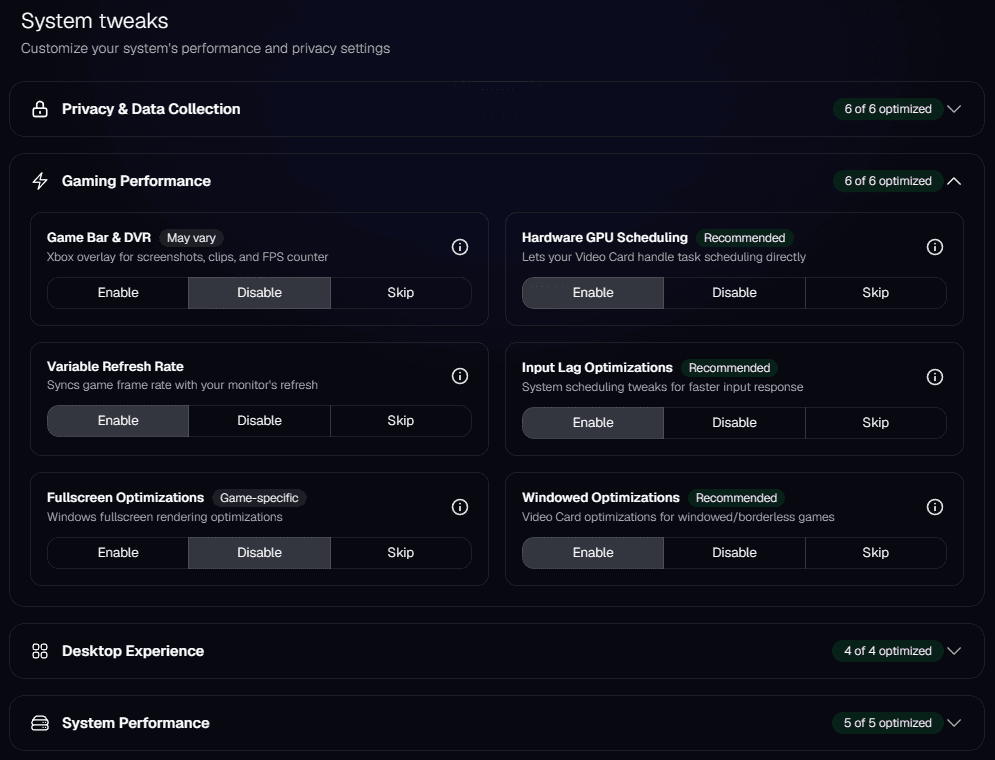
Review the tweaks
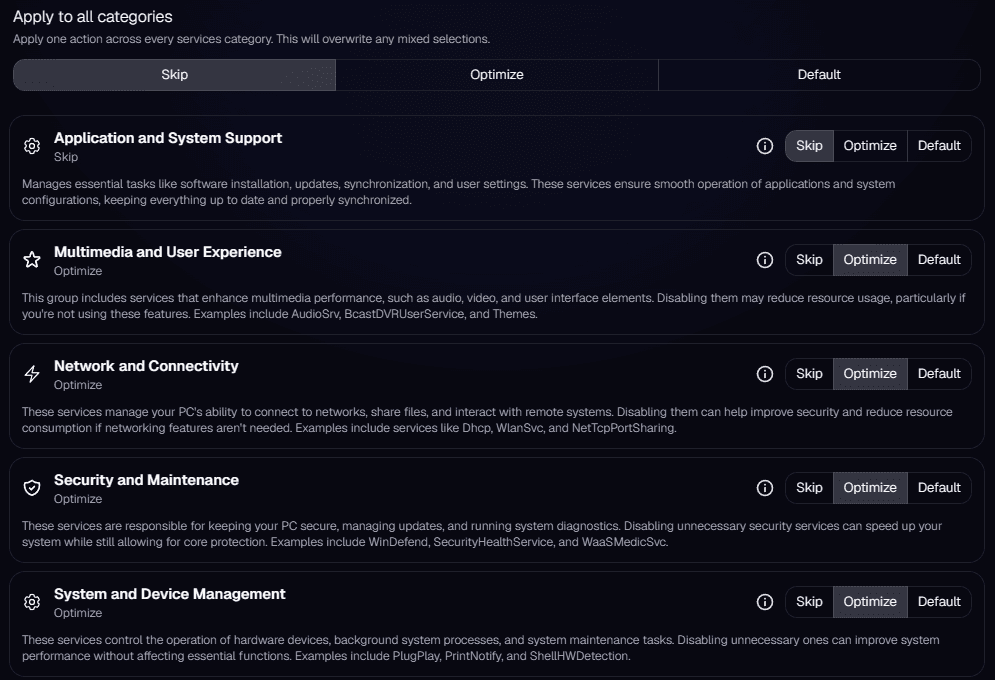
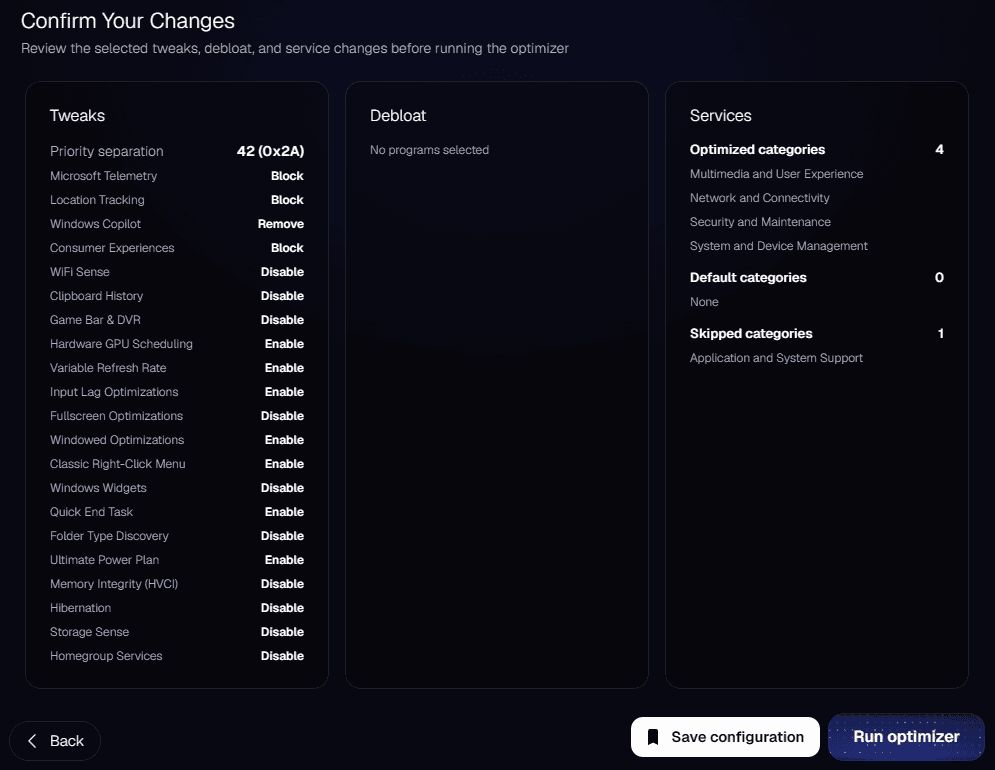
Leave features enabled if you use them. Disabling "Game Bar & DVR" affects recording, for example, and disabling "Memory Integrity" turns off a Windows security protection. Restoring default service settings will not restore your previous configuration.
Review apps and services
Select "Continue" when you finish each step. The space you could free up by removing apps is an estimate. The optimization count shows how many changes you selected; it does not measure a performance improvement.
Run the optimizer
If IQON can't create a restore point, read the prompt before you continue. There will be no new restore point for that run.If you see "Service disconnected" when you try to run the optimizer, check the background service connection. If it remains disconnected, open "Get Help" for support.
After the optimizer finishes
- Restart your PC. Save your work, then select "Restart now". Windows restarts after a 30-second countdown, and IQON reopens on its own and picks up at the next step. You can cancel during the countdown, or select "Skip" to restart later.
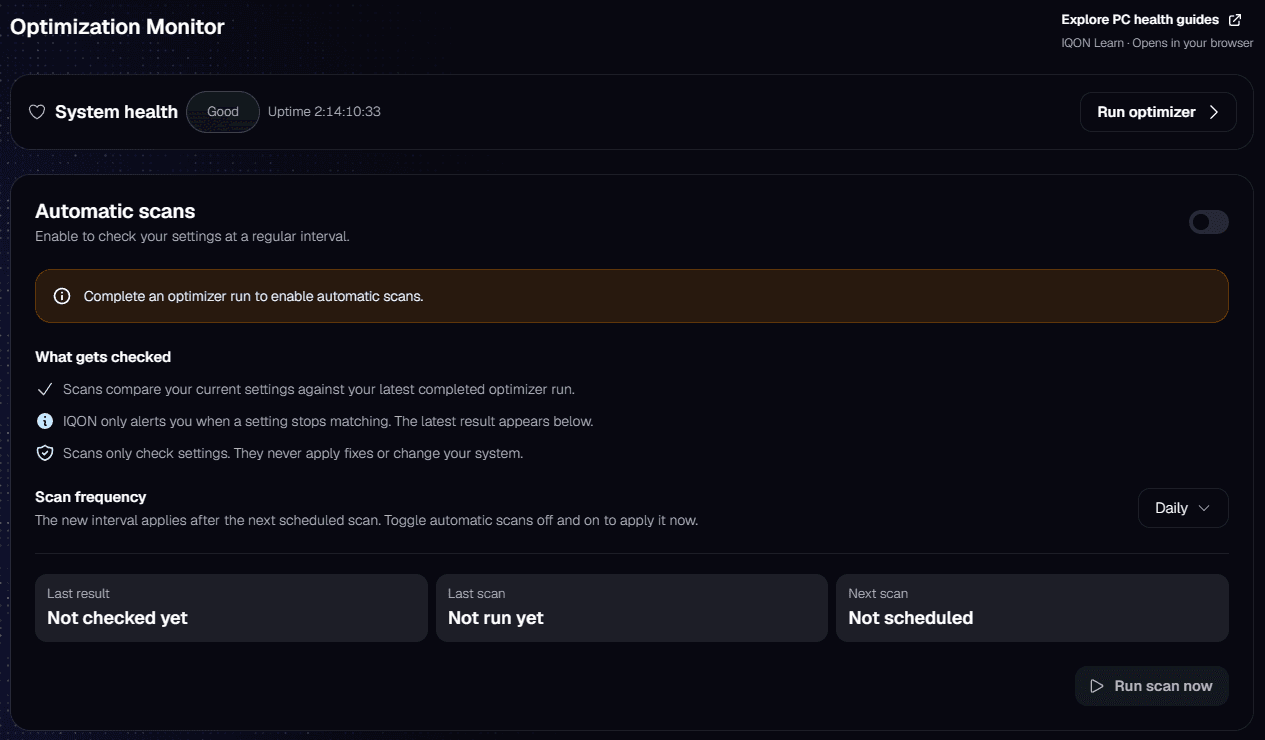
- Keep your PC optimized. Select "Enable optimizer checks" to turn on the Optimization Monitor, which checks every 24 hours whether your optimizations are still in place.
- Set up Live Boost. Select "Set up Live Boost" to open the Live Boost setup, or "Back to home" if you want to do it later.

Optimization Monitor
The page shows the last result, when the last scan ran, and when the next one is due. Select "Run scan now" to check right away. If the result says "Changes detected", select "Run optimizer" at the top of the page to apply your settings again.