What Live Boost is
How it works
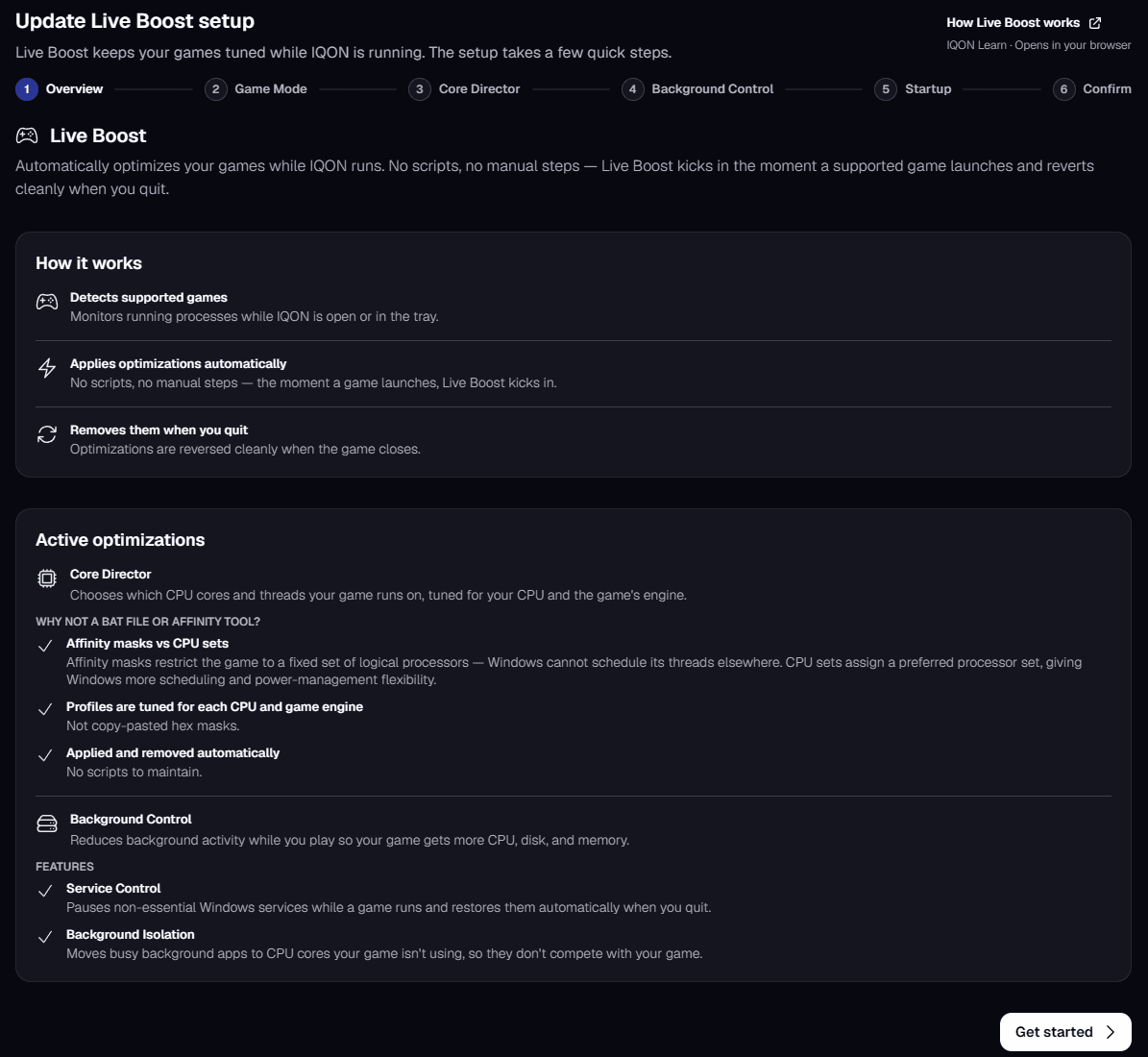
- Live Boost watches for supported games while IQON is open or in the tray.
- When a game starts, it applies optimizations automatically.
- When the game closes, it reverses them.
Setting it up
Windows Game Mode
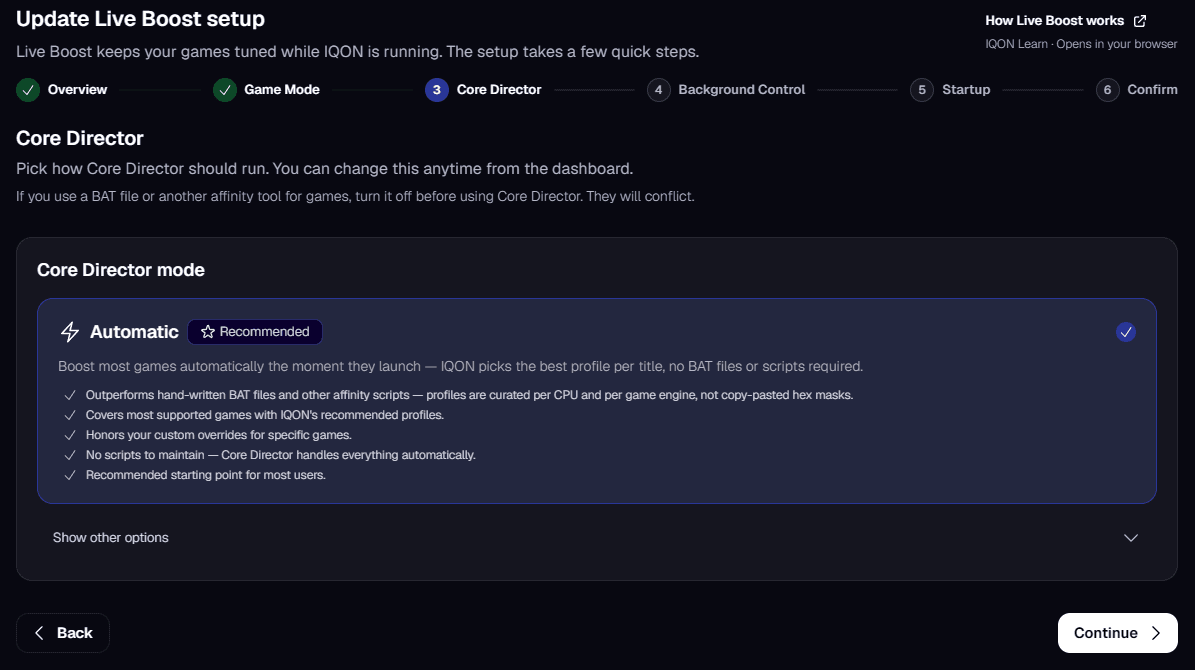
Core Director
- Automatic (Recommended) boosts most games as soon as they launch, using IQON's recommended profile for each game.
- Manual only boosts only the games you've added a custom override for.
- Off doesn't change which cores your games use. Background Control still works.
Affinity masks vs CPU sets
Background Control
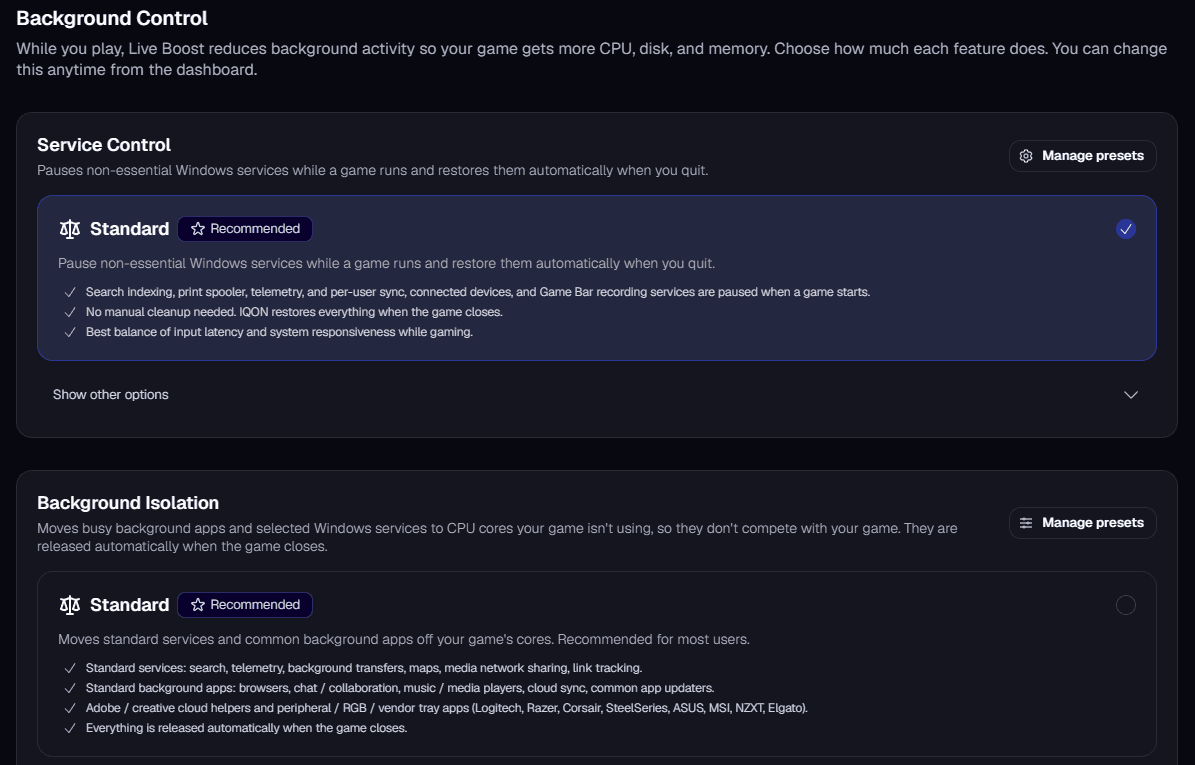
Service Control
- Standard (Recommended) pauses search indexing, the print spooler, telemetry, and per-user sync, connected devices, and Game Bar recording services when a game starts. IQON restores them when the game closes.
- Off leaves Windows services running. Core Director still optimizes your game.
Background Isolation
- Standard (Recommended) covers services such as search, telemetry, and background transfers, plus common background apps like browsers, chat apps, media players, cloud sync, app updaters, Adobe helpers, and peripheral or RGB software.
- Creator adds more Windows services, streaming and recording apps such as OBS, Streamlabs, XSplit, NVIDIA Broadcast, and Elgato capture, and screen capture tools. Use it when you stream or record while gaming.
- Extreme adds Windows Update services and security software such as antivirus. Use it only if your security software noticeably slows down your games.
- Off never moves services or background apps off your game's cores.
Startup
Confirm
Using the dashboard
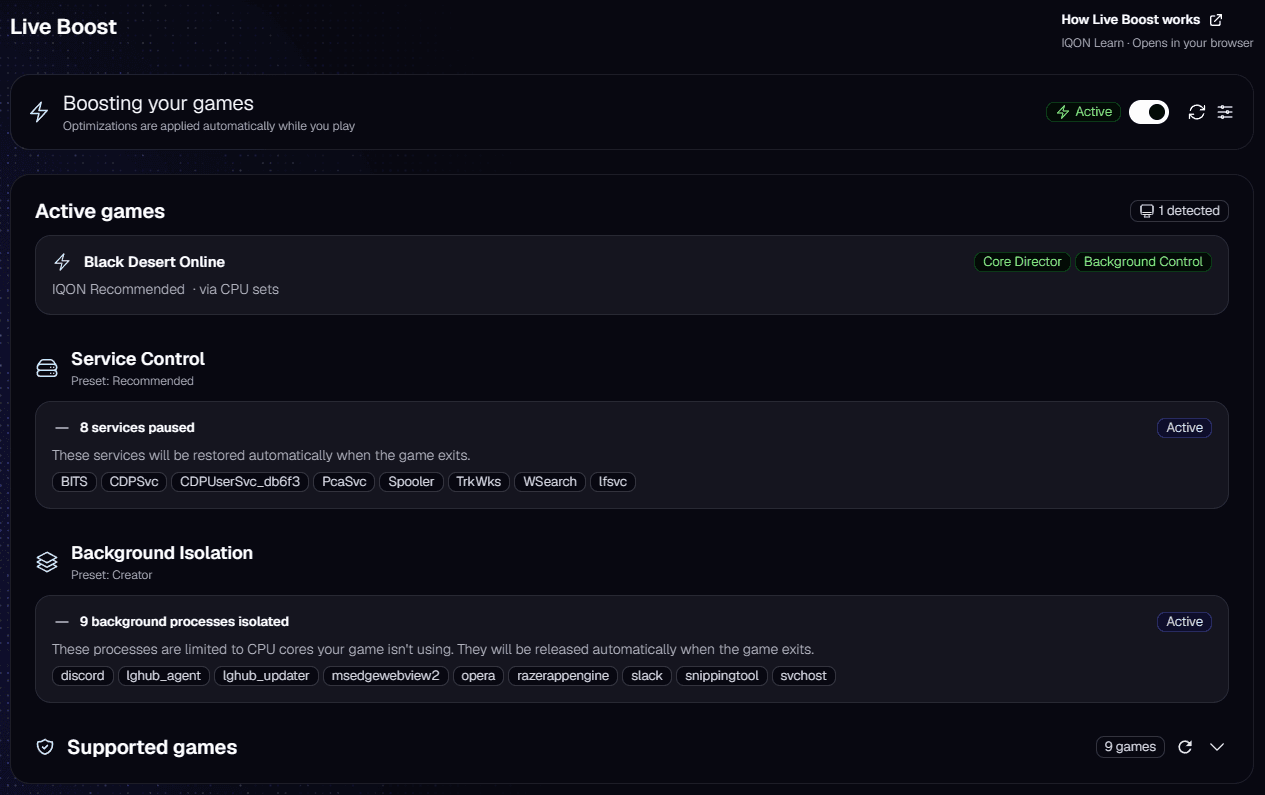
- The switch at the top turns Live Boost on or off. The header shows "Boosting your games" while it's on and "Live Boost is paused" while it's off.
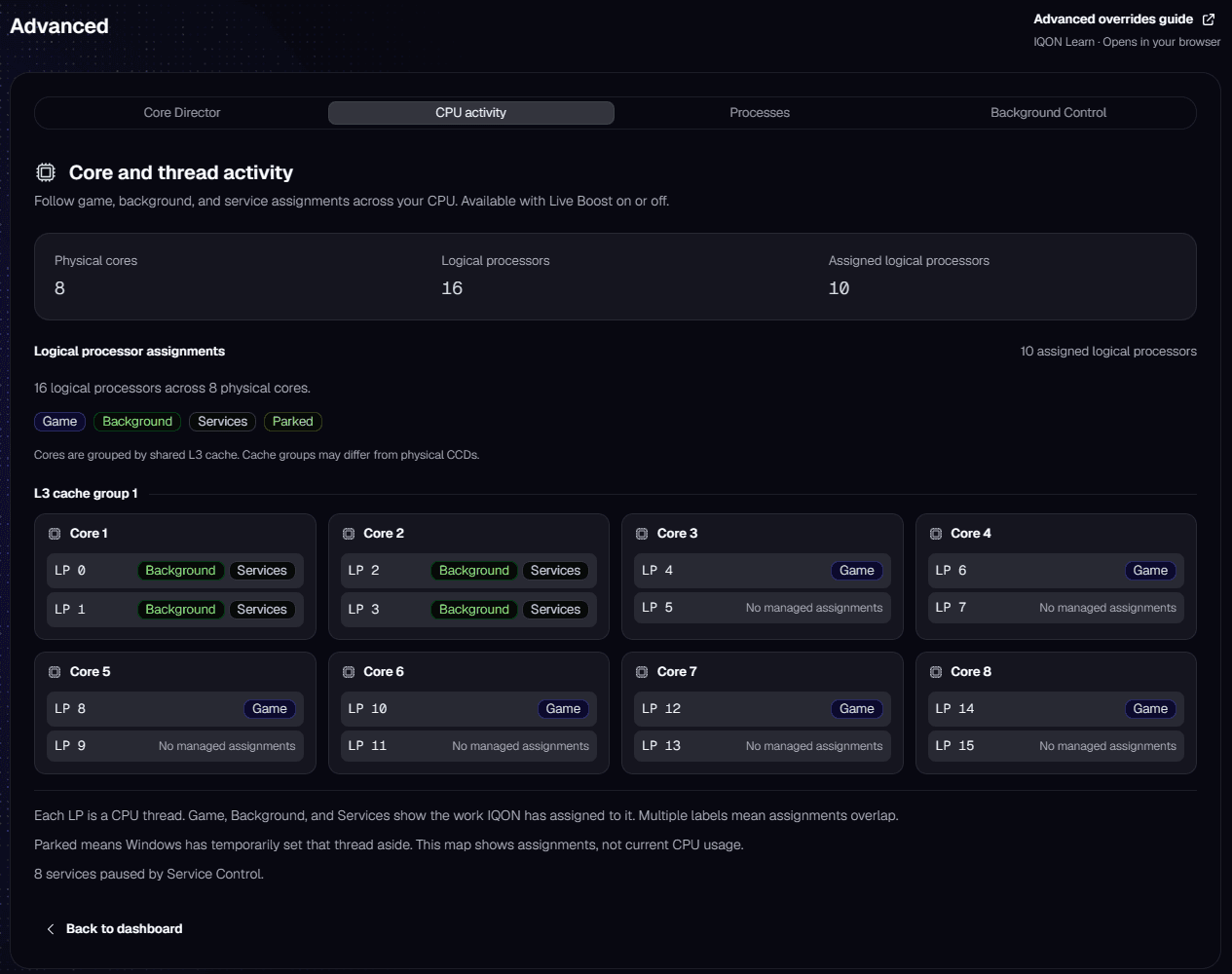
- Active games lists supported games that are running. Each one shows its Core Director profile, whether it was applied through CPU sets or an affinity mask, and which features are active.
- Service Control shows how many services are paused. IQON restores them when the game exits.
- Background Isolation shows how many background processes are isolated and which preset is active.
- Supported games lists the games on your PC that Live Boost recognizes. Games without a Core Director profile are listed as compatible and still get Background Control while they run.